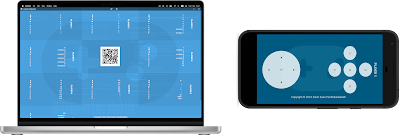
It has been a decade since I started owning this domain; I was fourteen then. I did question myself on keeping on renewing the domain every year, at least a couple of times. But I am glad that I did. I could always use the wayback machine to showcase what BuddyGo once used to be. The Alexa rankings of the past could also be used as a bragging material. I regret that I did not keep the social network running, but choices had to be made. I attempted to revamp and relaunch many times, but I just couldn't prioritize the work and ended up not doing it at all. Anyway, the day may come when I finally do it again. Cheers!
Not very long ago, I read an article stating that Google banned advertisement blockers from its stores. There are several websites which does not let you in if you have an Ad blocker extension installed on your browser. I have not investigated on how these websites detect that, nor do I know whether our own version of advertisement blocker would be immune to that. But, isn't it fun to build something like this on our own? As the first step, I found a random website that has a Google Ad. I right clicked on the Google Ad and clicked on Inspect button. As I moved up the Elements inspector, I found that the id of the advertisement starts with "google_ads_". Therefore, I opened the console and typed in the following command: div = document.querySelector('[id^="google_ads_"]') This selected the div that contained the advertisement. I went ahead and typed in the following command that would remove the div from the page. div.parentElement.remove...
Good luck
ReplyDelete